09 / Independent Product / Design + Build
PlayMETRIC
Download a YouTube thumbnail or explore an illustrative earnings scenario.
Explore the website ↗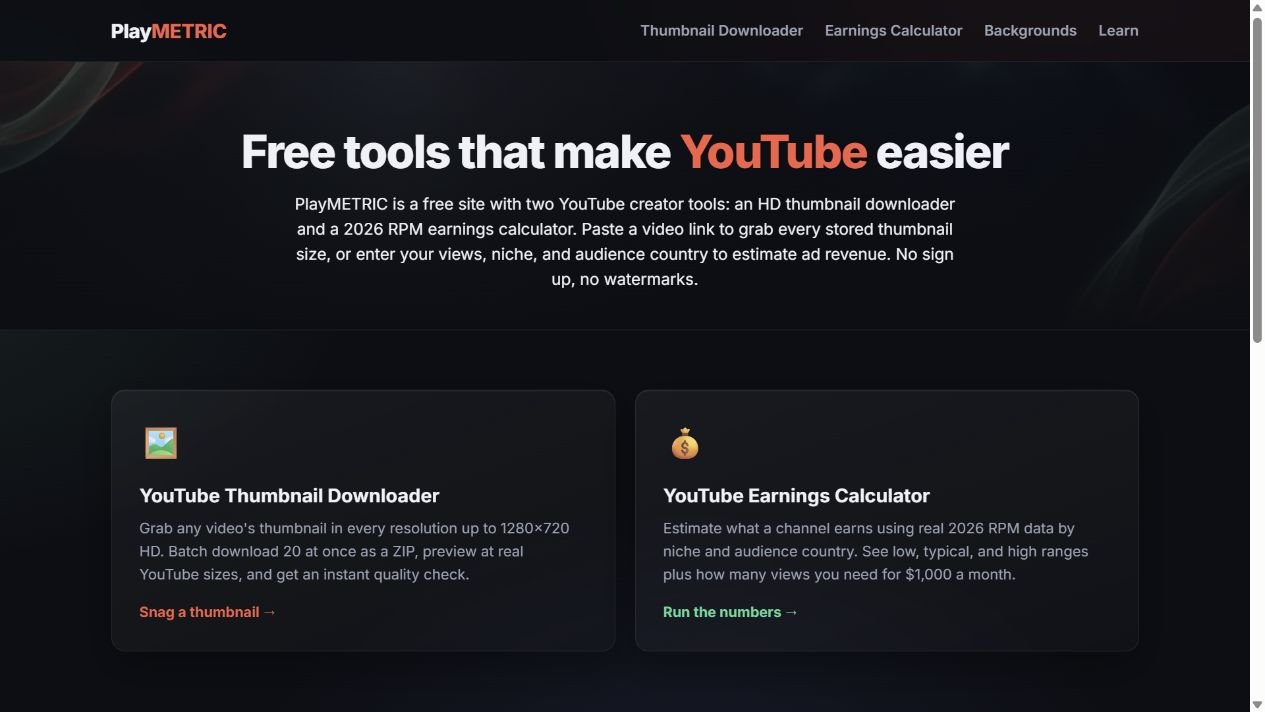
The task
Creators need quick tools for thumbnail retrieval and a clear way to explore how view counts and assumptions change a revenue scenario.
My contribution
I designed and built PlayMETRIC to bring useful creator tasks into a consistent interface. The case connects input choices, clear assumptions and immediately readable results.
The approach
Two focused utilities with distinct input and result patterns: thumbnail downloads and an illustrative earnings calculator.
What shipped
A shipped creator-tools website with thumbnail downloads and a transparent earnings-scenario interface.
Visual System
Color
Typeface
Inter / System Sans
AaBbCc Gg Qq 0123456789
Shared interface typography across the creator tools.
Actions & patterns
Coral primary actions and mint utility actions connect the creator tools.
Explore the actual work
Change the inputs. Compare the scenario.
Change view counts and scenario inputs to see how the estimate responds. The calculator keeps its illustrative assumptions visible beside the result.
01
The task & my contribution
The problem
Creators need quick tools for thumbnail retrieval and a clear way to explore how view counts and assumptions change a revenue scenario.
My contribution
I designed and built PlayMETRIC to bring useful creator tasks into a consistent interface. The case connects input choices, clear assumptions and immediately readable results.
02
Utility & estimation decisions
Separate certainty from a scenario
A thumbnail download produces a specific asset. An earnings calculator produces an estimate based on assumptions. The interface makes those task types distinct.
Keep assumptions beside the result
Monthly views, niche, geography and Shorts inputs remain visible with the estimated range. The result is labeled as an illustrative scenario rather than actual channel income.
- 01
Choose a tool
- 02
Provide input
- 03
Review result
- 04
Inspect assumptions
- 05
Use the output
03
Functional & interaction QA
Input review
The calculator was checked with changing view counts and presets. Numeric handling prevents negative values from producing a misleading scenario and keeps the output tied to the chosen assumptions.
04
Reusable systems
A common utility foundation
Shared navigation, controls and result panels connect the creator tools. Consistent assumption labels and number formatting make comparisons easier to scan.
05
Design through implementation
Immediate scenario feedback
JavaScript calculates the result from the selected inputs. Node.js and Express support the site, while thumbnail retrieval and scenario calculation remain separate tasks.
06
Accessibility
Controls and results in a clear order
Associated input labels identify the calculator settings. A live result region supports updated feedback, while readable explanatory text keeps the assumptions available.
07
The finished work
Delivered
A shipped creator-tools website with thumbnail downloads and a transparent earnings-scenario interface.
Delivered work
Shipped independent web tool